

Free & Pro
AI object detection
Boxes and labels bring supported road objects into focus, directly over the camera image.
Explore this feature ↗AI DASHCAM FOR IPHONE
See more of the road with on-device AI. Keep important moments, find your way and choose a clearer perspective. Your dashcam and driving companion, together on your iPhone. Explore using an iPhone as a dashcam and what on-device AI adds to a dashcam.
iPhone · iOS 17 or later · Free to download
AyniCam 2.0 is available on the App Store. Product descriptions refer to the released app. Simulator captures and older demonstration loops are labeled separately; they are not road-test evidence.
AYNIcam
Your camera. A different perspective for every part of the drive.
Free & Pro
Boxes and labels bring supported road objects into focus, directly over the camera image.
Explore this feature ↗Free & Pro
A 2.5D scene turns supported detections into readable object representations with less visual clutter.
Explore this feature ↗Free & Pro
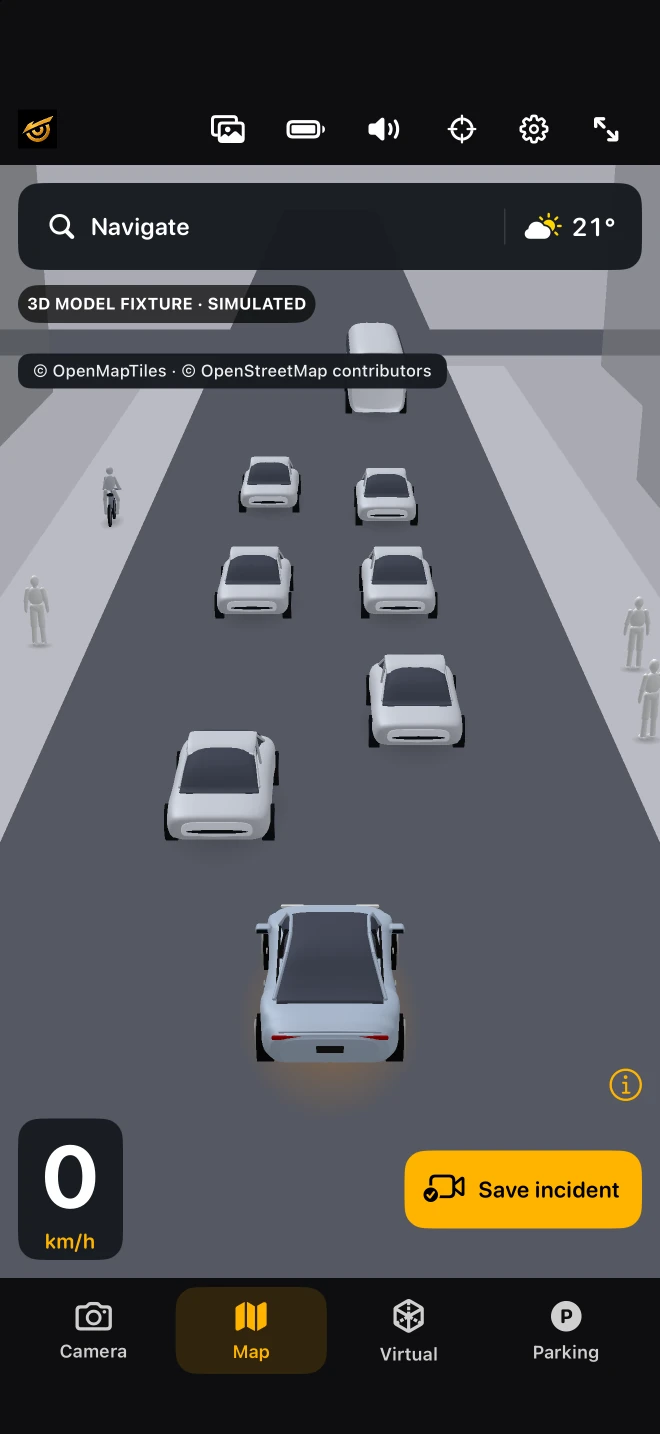
Mapped roads and buildings, approximate detected objects, destination search and weather share one driving view.
Explore this feature ↗Free & Pro
See a simplified scene beside the camera view, with proximity beeps for supported nearby detections.
Explore this feature ↗AYNI Pro
Pro adds coloured object masks and a road-surface overlay in a dedicated Perception view.
Explore this feature ↗Free & Pro
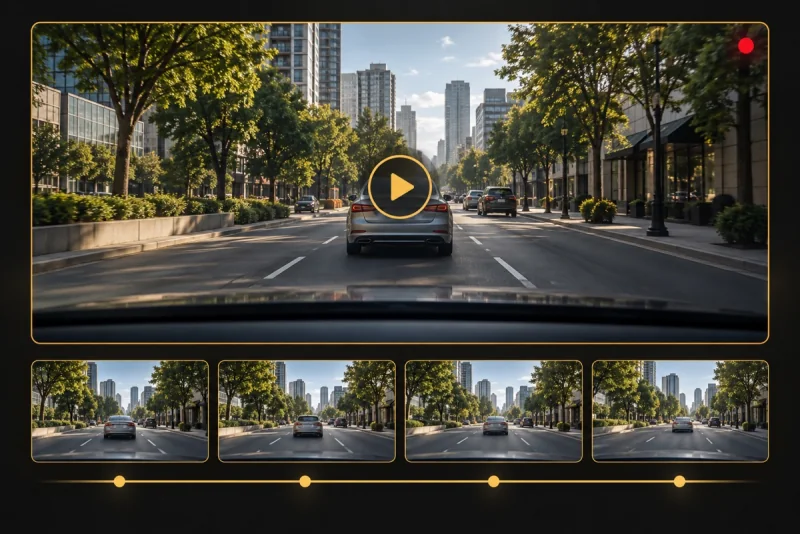
A local rolling buffer preserves available recent footage as an incident clip you can review and share.
Explore this feature ↗App captures use simulator data. The other view illustrations explain features; they are not live detection results.
EMERGENCY MODE · FREE & PRO
Opt in before your journey. If a possible severe crash is detected, AYNIcam starts a response countdown and tries to preserve the available incident footage.
Cancel the countdown if you’re okay. Optional voice cancellation is available with the required permissions and device support.
Preserve available video and incident details locally, with location when available.
Open the emergency call prompt and prepare a message for your chosen contacts. iOS requires confirmation to call or send.
An optional aid, not guaranteed crash detection or automatic emergency dispatch. Set it up in Settings before driving.
EMERGENCY SUPPORT
Check in.
Keep context.
Reach out.
You stay in control

The daily commute. A new city. The long way home. Bring your views, recordings and useful driving tools along for the journey.
AI models
Start with the Free detector, or explore Pro detection and segmentation. Choose a model to match the view you want.
The on-device road detector. Seven supported object categories, with Detection, Maps, Virtual and Parking views.
The Pro road detector for the same seven categories and four views. Choose according to your iPhone and device conditions.
Detection plus individual object masks and a road-surface mask, displayed in its own Segmentation page.
Recorded from the actual model picker in the iPhone simulator. Its animated previews and confidence numbers are illustrative, not measured detection results or a performance comparison.
Read the guide ↗Earlier simulator illustration, captured September 8, 2026. The 2.0 controls may differ; this is not a physical-device result.
Interactive demo · Mobile & desktop
Choose a destination, follow a 3D route, and meet the simulated traffic along the way. No download needed.
Try AYNIcam 3D MapNo download. No sign-up.
 ↗
↗02 / Keep the moment
AyniCam keeps a local rolling buffer while the camera recording pipeline is active. When safe, use Save incident to preserve available recent footage, then review and export it from the local gallery. This is an incident-clip workflow, not a full-trip archive. Follow the iPhone setup guide, then learn to save and export an incident clip.
HD 720p
Full HD 1080p
Secure your iPhone, allow the permissions you need and choose your view before driving.
Free saves up to 20 seconds in driving context. Pro saves up to 30 seconds, including while stationary.
Watch saved incidents and share the clips you choose. Recordings stay on your device until you share them.
Clip length depends on how much footage is already buffered. Pro microphone audio requires permission.
3D Maps & navigation
A close driving view brings your car, mapped roads and buildings together. Zoom out for the bigger picture. Return to your position with one tap.
The camera smoothly opens up as speed increases, and moves closer as you slow down. Pinch to adjust the view.
Pan or rotate to look around. Tap the recenter control to return to the driving view.
Search for a destination, follow route guidance and open the forecast from the map’s top bar.
Roads and buildings come from map data; availability varies by area. Camera detections add approximate object positions — this is not a precise 3D scan of the street.
Earlier simulator illustration, captured September 8, 2026. The 2.0 controls may differ; this is not a physical-device result.
Earlier simulator illustration, captured September 8, 2026. The 2.0 controls may differ; this is not a physical-device result.
Navigation and weather sit together, with your views, Clips and Settings within reach.
Recorded in the iPhone simulator. Weather and location are demo data; no live traffic is shown.
Explore this feature ↗Optional spoken alerts for nearby objects, traffic-light changes and traffic moving ahead. Available in Free and Pro.
Choose your language, driving tools and Power Saver settings. Workload adapts to device conditions; performance varies by iPhone and temperature.
04 / Start with Free
Start with on-device detection, four driving views and local incident clips. Pro adds two AI models, segmentation and expanded recording.
| Feature | Free | AYNI Pro |
|---|---|---|
| Detection, 3D Maps, Virtual & Parking | Included | Included |
| Voice alerts & optional Emergency Mode | Included | Included |
| AI | AYNI AI | AYNI Pro AI + Perception |
| Incident clips | Up to 20 sec · HD 720p | Up to 30 sec · Full HD 1080p |
| Save an incident | In driving context | Camera active, including stationary |
| Audio | Video only | Microphone audio* |
| Watermark / timestamp | AYNI watermark | No watermark · Timestamp |
| In-app gallery | Limited gallery | No app-imposed clip limit* |
| Driving tools | Classic & Grid | All tools |
AYNI Pro is an optional auto-renewable monthly subscription. U.S. storefront: US$9.99/month, checked September 20, 2026. Regional prices, introductory-offer eligibility and current terms appear before purchase. Restore Purchases is available. *Microphone permission required. Clip storage is limited by available device space. Subscription prices and terms are shown in the app and App Store.
AYNIcam / Blog
31 practical guides to recording, on-device AI, privacy and choosing an iPhone dashcam setup.
Blog
Understand the seven supported road-object classes, changing detection boxes and confidence scores without confusing them with a safety guarantee.
Read guideBlog
Learn how to open Virtual View, read its approximate object layout and choose between the camera, Virtual View and 3D Maps.
Read guideBlog
Understand AYNIcam’s split Parking View, estimated proximity beeps and the limits of a single forward-facing camera.
Read guide
05 / Built around your iPhone
Object detection runs on your iPhone. Camera frames are not sent to a cloud AI service. Clips are stored locally, and you choose what to share.
Maps, destination search, routing and weather need network services and may use your location or destination to answer requests. Offline AI does not mean every app feature works offline.
Read our privacy policy ↗A FEW THINGS TO KNOW
The detector models support seven categories: person, bicycle, motorcycle, car, bus, traffic light and stop sign. They do not identify an exact vehicle model or guarantee its body orientation.
The Pro segmentation model adds object masks and a road-surface output on a dedicated page. A road mask does not identify lane count, crosswalks or buildings.
No. Parking combines a simplified nearby-object scene with the same camera image. It does not add a rear camera or replace parking sensors.
Free saves up to 20 seconds at 720p without audio. Pro offers up to 30 seconds at 1080p, including microphone audio with permission. Available history depends on the rolling buffer.
No. Roads and buildings are supplied by map data, with coverage varying by location. Supported camera detections are placed approximately in that context. Object distance and orientation can be uncertain.
On-device AI and local recording do not require cloud inference. Loading maps, searching destinations, calculating routes and fetching weather need connectivity.
No. AYNIcam is a driving aid, not autopilot, a collision-avoidance system or a replacement for parking sensors. Keep your attention on the road and interact only when safe.
AyniCam 2.0 Maps · Actual simulator capture · Simulated scene, not a road test. Earlier simulator illustration, captured September 8, 2026. The 2.0 controls may differ; this is not a physical-device result.
AyniCam 2.0 is available on the App Store. Product descriptions refer to the released app. Simulator captures and older demonstration loops are labeled separately; they are not road-test evidence.
Voice alerts are available in English, French and Arabic. The App Store metadata lists English; check the installed app’s settings for interface language availability. iPhone requires iOS 17 or later.
iPhone · iOS 17 or later · Free download with in-app purchases
Your iPhone. Your AI dashcam. Your road companion.
Download on the App StoreiPhone · iOS 17 or later · Free to download
Allow optional Google Analytics cookies to help us understand visits, page engagement and App Store clicks. You can use the website without accepting and change your choice at any time. Privacy details

